05.12.26
Why Your Phone Says ‘No SIM Card’ and How to Fix It
by Kathy Hinson

You can have two numbers on one phone with dual SIM cards. Here’s how dual SIM phones work.

Dual SIM is a feature that lets one phone use two SIM cards or eSIMs at the same time. With dual SIM, you can have two phone numbers on a single device — one for personal and one for work, for example — and switch between them without carrying a second phone.
The second phone number can be from a different carrier if your phone’s unlocked, which lets you shop around for an affordable choice or get coverage from a second network.
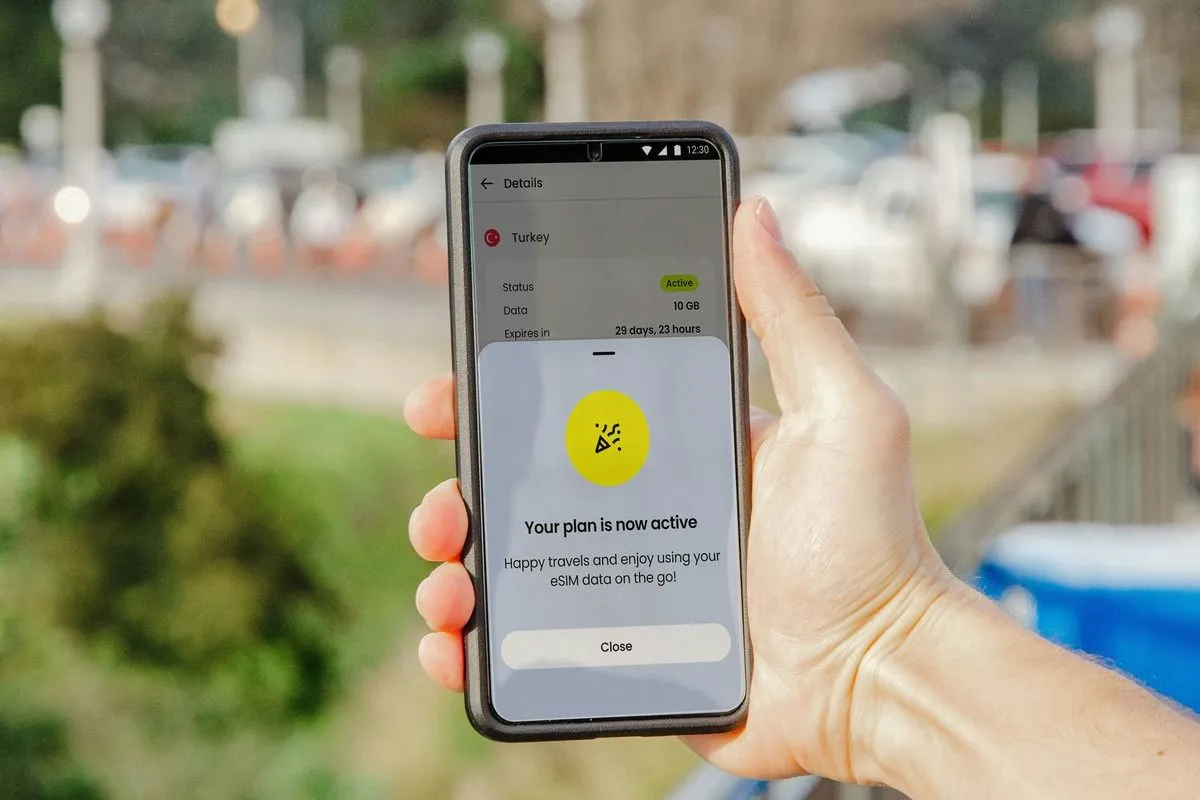
Dual SIMs come in handy for separating work and personal phone use, having a second number for privacy, or using an international SIM when traveling.
Most dual SIM card phones in the U.S. are "dual SIM dual standby,” or DSDS. That means two SIMs can be active at the same time, and both can receive calls and texts. Without DSDS, a phone might have multiple eSIMs stored but only one can be activated for use at a time.
Even with DSDS, you can only have one active call over a cell network at a time. If you’re on a call on one SIM, incoming calls to the other will go to voicemail. Similarly, only one SIM can actively use cellular data at once. The exception: If your second SIM has a Wi-Fi connection, it can use Wi-Fi calling or messaging while the first SIM is on a cellular call. Wi-Fi calling has to be enabled and the carrier has to support it.
The easiest way is simply to dial *#06# on your phone. If you see two IMEI numbers, it means your phone can support two active SIMs.
Another option is to look at your phone’s settings.
You can also check the manufacturer's website to find out if your device allows dual SIMs and is DSDS-enabled. If you’re shopping for a new phone, check device specs; otherwise you might grab a good phone deal only to find it’s not a dual SIM phone.
A dual SIM phone is a great way to have two numbers on one phone. Having a second phone number or even a full second phone plan lets you:
Downsides to using two SIMs include:
Decide whether you want the second SIM to be with your existing carrier or a different one. Your phone must be unlocked to have a second carrier on the second SIM.
If your phone’s locked to a carrier, you can still add a second plan but you're limited to choices from the same carrier. Some carriers offer an inexpensive add-on number for your second SIM, such as Verizon’s Second Number plan for $15/month.
If your phone is unlocked, you can branch out: You might prefer to use a carrier on a different network for the second SIM to fill in dead zones, for example, or to get better service in areas you frequent.
Using a separate carrier also makes it easy to split out the cost of the second number if you plan to claim it as a business expense. Or, if you plan to use the second SIM mainly when traveling abroad, check into using an international SIM that covers your destination. You simply pick the best international SIM for your itinerary, then activate it at your destination and use it as your primary line. When you get back home, switch back to your home carrier’s SIM.
First, choose the plan for the second SIM. Then, follow these steps:
On an iPhone:
On an Android:
Use clear labels on the two SIMs, such as work and personal, or home and travel. Messages and voicemails will show which line they came in on, and you can set up separate voicemail boxes for each. You can also choose which line to use when communicating with individual contacts or develop a different contact list for each line.
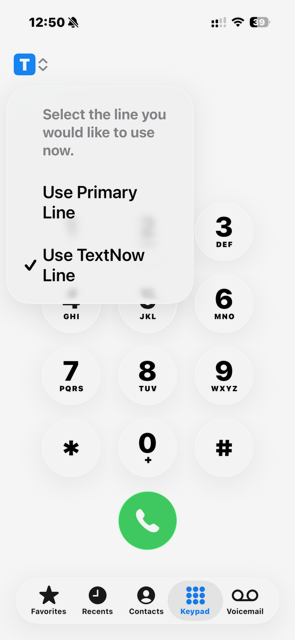
When you’re ready to call or message, look for an icon showing which line you’re about to use. For example, on iPhone tap the small icon at the top left of the number pad when dialing a call or tap the “from” line on a new message to pick which number you’re using. You can also designate which line to use automatically when calling or texting a specific contact.
If you’re on a call, incoming calls to the other line will typically go to voicemail automatically. Once you hang up, you’ll see a missed call notification and a voicemail alert if they recorded a message. The exception: You may be able to receive Wi-Fi calls if the carrier for the second SIM supports it.
Dual SIM capabilities and how you use them vary by phone manufacturer and operating system. Read your phone’s manual or search online for support documents. Get to know how your model handles calling, Wi-Fi calling, messaging, contacts and more, so you can get the most out of your dual SIM setup and avoid surprise charges.
Have questions or comments? Send us a note at [email protected]!