Written by Kathy Hinson
Kids Phone Plans: What Parents Need to Know
A guide to choosing a phone plan for kids, understanding parental controls, and comparing costs.
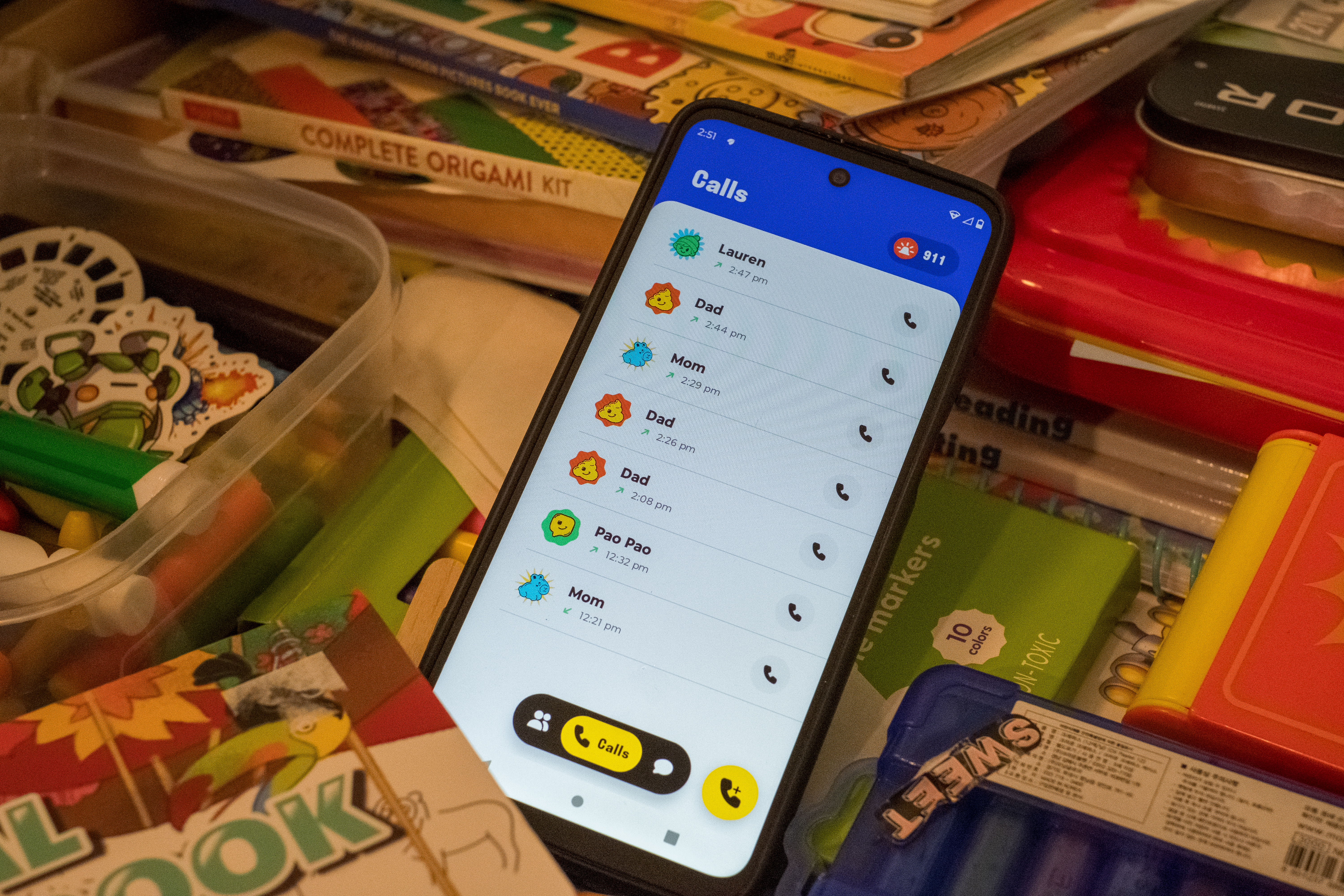
Deciding that your child’s ready for a phone is a big step. Up next is choosing a kids phone plan that will meet their needs and your rules around safety.
Here’s what you need to know about what phone plans are optimized for kids, which parental controls to consider, and how much kids phone plans cost.
The short answer
You have two options when choosing a kids phone plan:
- Get a plan that comes bundled with a phone made specifically for kids, with safety features built in.
- Pair any phone plan with a regular phone and then add parental controls separately as needed.
What is a kids phone plan?
Any phone plan can work for your child or teen, depending on your family’s communication needs, what safety features you want, and how much time you can put toward DIY monitoring.
That said, you have two paths to choose from:
Phone and plan designed for kids
You’ll find several options for a safe first phone for kids and most of them come paired with a phone plan. These typically limit access to the internet and social media, and they often include helpful features like location tracking, screen time limits, and parent control of the contact list.
This approach gives you a ready-made solution without having to research and manage separate parental controls. It also offers the advantage of controls built into the phone’s software or hardware, making it less likely a tech-savvy kid will find a workaround.
Regular phone, plan, and optional parental controls
You can simply add a line to your family phone plan or set up a separate plan, perhaps with limited or no data. Then you provide a phone for your child, adding parental controls if you choose.
You get the advantage of pairing any phone with any plan but give up the ease of built-in safety features. And a parental control app usually means an additional monthly cost.
What are parental controls?
Parental controls restrict what kids can see or do on phones and other devices. They often allow monitoring, for example letting parents see what websites a child visits or even read their texts. You have several ways to get them:
Choose a phone built for kids: These have controls built into the phone’s software or hardware. Check out the features included and how they work, using the company’s website and real user reviews. For example, phones that use background monitoring programs, like Gabb, can drain the phone's battery and overload parents with alerts.
Use an app or operating system option: You can download an app like Norton Family or the Bark App, to name two popular ones, or opt in to Apple Screen Time or Google Family Link. Investigate how much time set-up and monitoring will take, and whether a determined child or teen could work around or uninstall them.
Get parental controls from a phone carrier: The Big 3 carriers offer family-oriented features, usually for an extra fee. T-Mobile FamilyMode and Verizon Family require getting a more-expensive postpaid plan. But AT&T Secure Family can be used on its prepaid or postpaid plans and with Cricket prepaid plans. Some other prepaid phone plans offering parental controls include Boost and Tello.
What parental controls should I consider?
Popular parental controls on kids phones, apps, and operating systems fall into these categories:
Communication safety tools, including:
- Parent control of the contact list.
- Alerts about problematic content in messages or the ability to remotely read texts.
- The ability to review call and messaging history.
Physical safety features such as:
- Location tracking so you know where your child is or has been recently.
- Battery-life and signal-strength indicators, so you can confirm they’re not stranded with a dead phone or in poor coverage.
- Automatic alerts when the phone leaves or arrives at a set location.
- 911 calling and SOS calling to parents.
Content blockers, filters, and monitors that typically:
- Block some or all browsers and websites, including social media, and/or let parents block streaming entertainment based on age ratings.
- Offer screen time limits, sometimes including the ability to set “quiet times” during school, after bedtime, etc.
- Let parents view what sites a child visits, and potentially alert parents when questionable content is viewed or shared.
- Block app downloads, and potentially send an alert if the child attempts to remove a parental control app.
How much is a kids phone plan?
You'll find just a few kids phone plans under $20, with more choices for under $50 a month. And some can cost closer to $100. Here are popular options in three price ranges.
Less than $20: Among popular kids phone and plan bundles, Yello! from TextNow offers the lowest per-month plan cost, $19.99. You could also pair a regular phone with a very low-cost talk & text only plan and a parental control app, but it may exceed $20 or fail to block things you don't want your child to have. For example, Mint Mobile offers Mint Kids starting at $15/month, which includes 6GB of data but has no parental controls built in. Mint suggests paying for the $14 Bark App or using Google Family Link or Apple Screen Time to limit the websites, searches, or app downloads available to your child.
Less than $50: If you want to spend more, you’ll find higher-cost options in the kids phone market like Gabb ($34.99-$39.99/month) and Pinwheel ($26.66/month, paid in 3-month bundles). Or you can use any phone and pair it with a cheap phone plan or add a line to your existing phone plan.
Less than $100: This takes in the highest-end kids phone and plan pairings, such as Bark’s $59 plan for 8GB of data or $79 for unlimited data. These are aimed at older kids or teens who are ready for greater access. But you might get more service for less money — and a happier teen — if you let them “graduate” from a kids phone to a regular phone, perhaps paired with a teen phone plan.
How much does the kids phone itself cost?
Keep in mind that phone plans aimed at kids usually require you to buy their specific phone. You’ll find choices as low as $74.99 with Yello!, and as high as $360 or even $600 with Bark.
If you go with a generic phone plan paired with your choice of phone, you can seek out a phone deal, look for a refurbished phone, or hand down your phone when you upgrade. You’ll find phones at a wide range of prices, including free options that usually require committing to a service contract. Use a free phone calculator to check whether financing saves you money over time, or if buying outright and avoiding a contract is better.
How to choose a kids phone plan
Work through these steps:
Assess family needs and your child’s readiness
Family communication needs often trigger the decision to get a kids phone plan. Decide what features are important. Do you want plain talk & text with no internet? Are location-sharing and contact list control top of mind? Making those choices first helps you narrow your search.
Also think about your child’s age and readiness:
- Ages 5-9: With little kids, you want something easy to use that avoids age-inappropriate functions like a web browser or app downloads.
- Ages 10-12: Tweens may be ready for wider functionality, but you’ll probably still want parental controls or usage alerts to watch for problems.
- Ages 13-17: Teens, especially high schoolers, may be ready for a regular phone plan paired with an operating system overlay like Google Family Link or Apple Screen Time.
Decide on type of phone and plan
Beyond the choice between purpose-built phones with strict controls vs. a regular phone with parental controls added, you’ll need to consider:
- Do you want a plan with no contract so you can switch whenever you want without penalty? Or are you willing to sign a contract lasting a year or longer?
- What coverage works best in your area? Check the coverage map for any choice you’re considering.
- What safety features are important to you? The more you want, the more likely a purpose-built kids phone will suit your needs.
Set up the phone and plan
Follow the phone maker’s and carrier’s instructions to set up your kid's phone. Most kids phones have a parent portal or app where you control the contact list, choose access levels for your child, etc. You may be able to add another adult as an account manager, too, such as a co-parent or caregiver.
Check in frequently
Parental controls and a kid-safe phone are great first steps but keep the conversation going. Talking regularly gives you an opportunity to remind them of phone safety rules and helps you know when they’re ready for more access.